Protect lives · SOLA School Safety
Prepared before it happens. Informed when it matters.
When safety matters, preparation and reliable information are essential. SOLA connects safety planning, accountability and mobile access, helping school personnel prepare, coordinate and respond with greater confidence. Build the plan 100% in SOLA, and put it on every employee’s phone.
Prepared before it happens
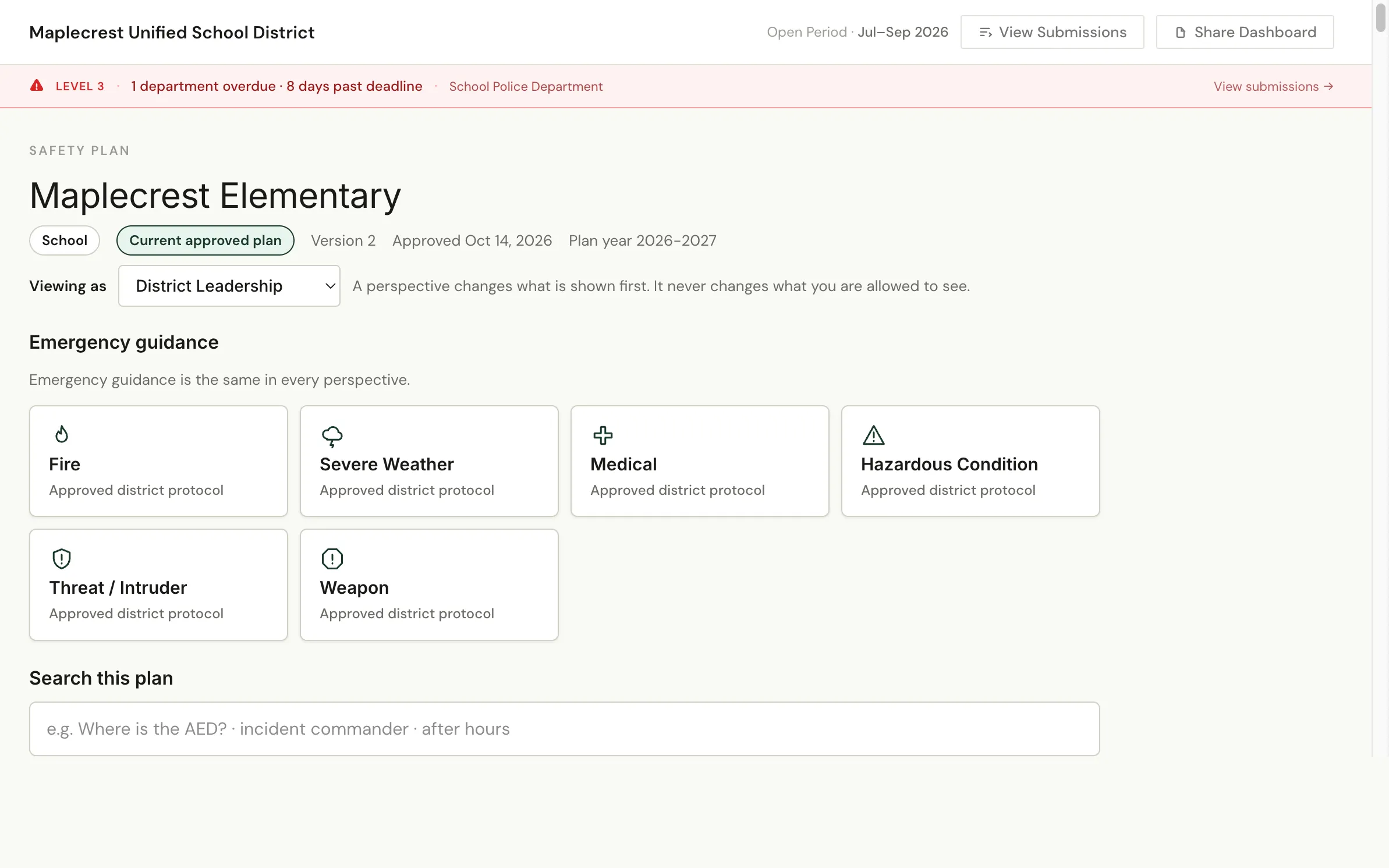
Build your safety plan 100% in SOLA.
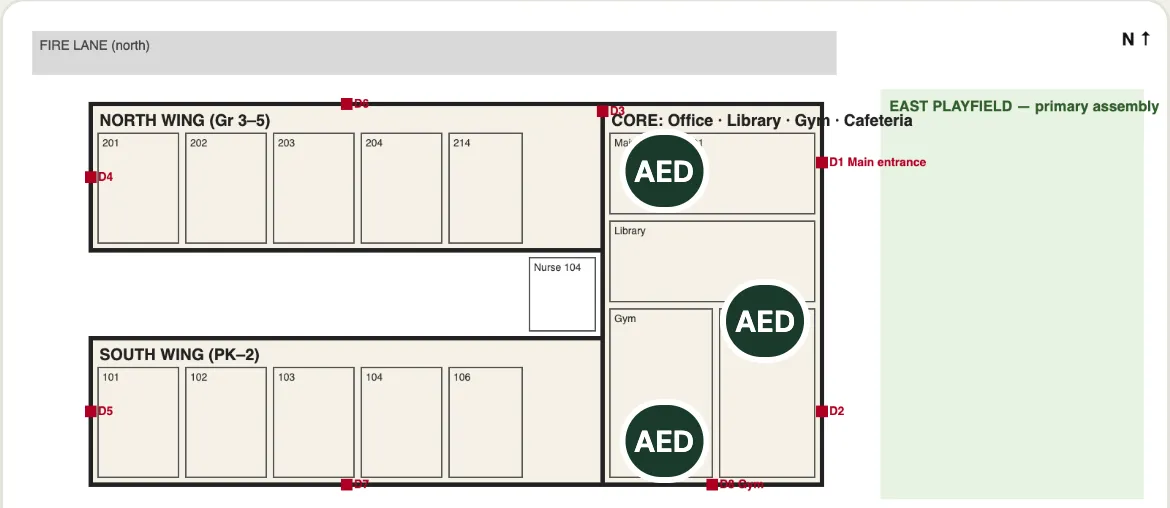
State requirements, Safety Workbooks, narratives, safety teams, emergency protocols, review, approval and every version, all in one place. Upload your floor plans and mark the exits, AEDs and assembly areas in SOLA. No binders, Word documents or shared drives to reconcile.
Published frameworks
States and territories with published safety requirements in SOLA, applied to your district’s jurisdiction.
Governed versions
Each approved version is kept as a record, so everyone knows which requirements are in force.
District to every school
A District Safety Plan, then school and facility plans with Safety Workbooks, each approved by the district, with required drills and activities tracked in Safety Compliance.
Informed when it matters · The SOLA Safety app
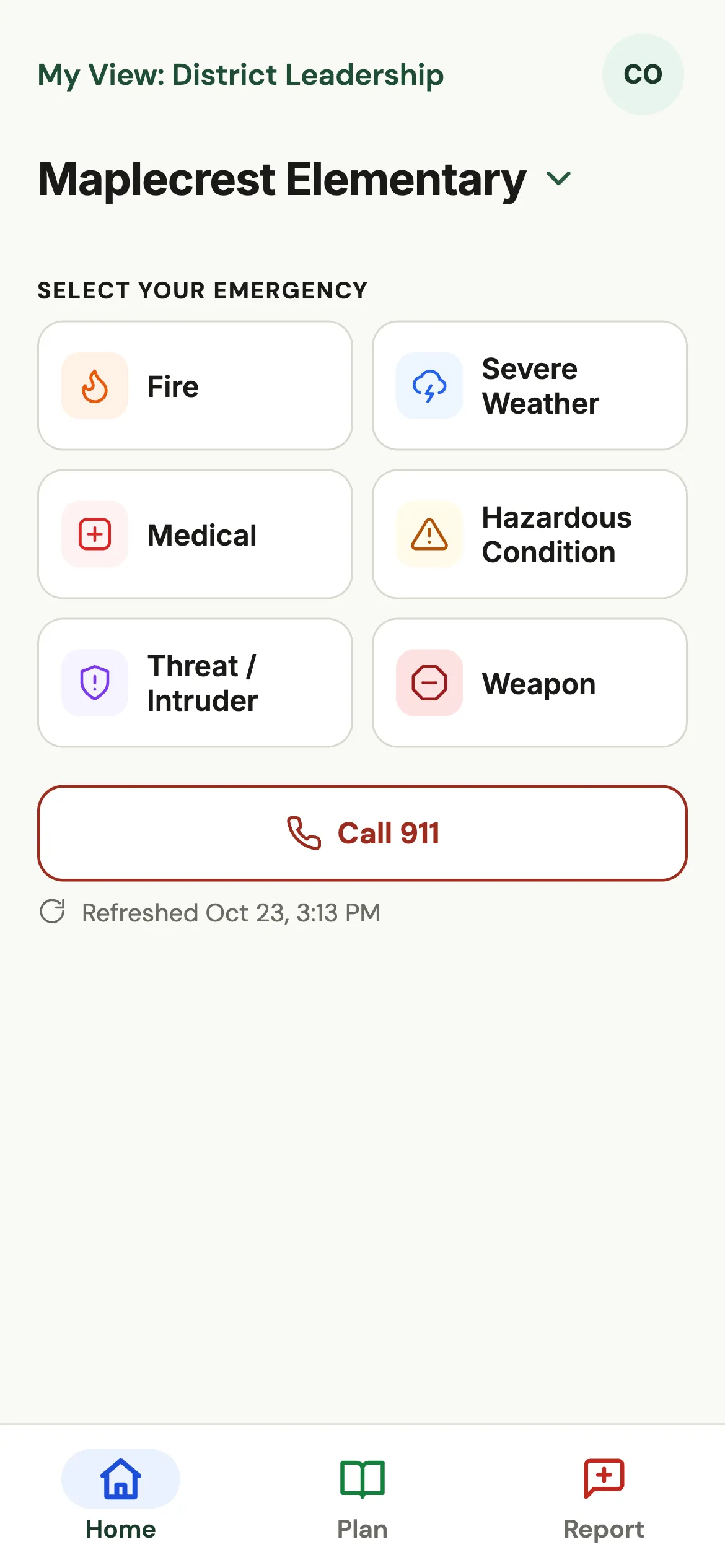
The approved plan, in every employee’s hand.
Included with SOLA School Safety. Every employee you add to SOLA can open your schools’ approved safety plans in the SOLA Safety app on iPhone and Android, even offline. Sensitive sections are shown only to the people the district designates, and staff can send a field report from any school or facility.
Respond
One tap to the right steps.
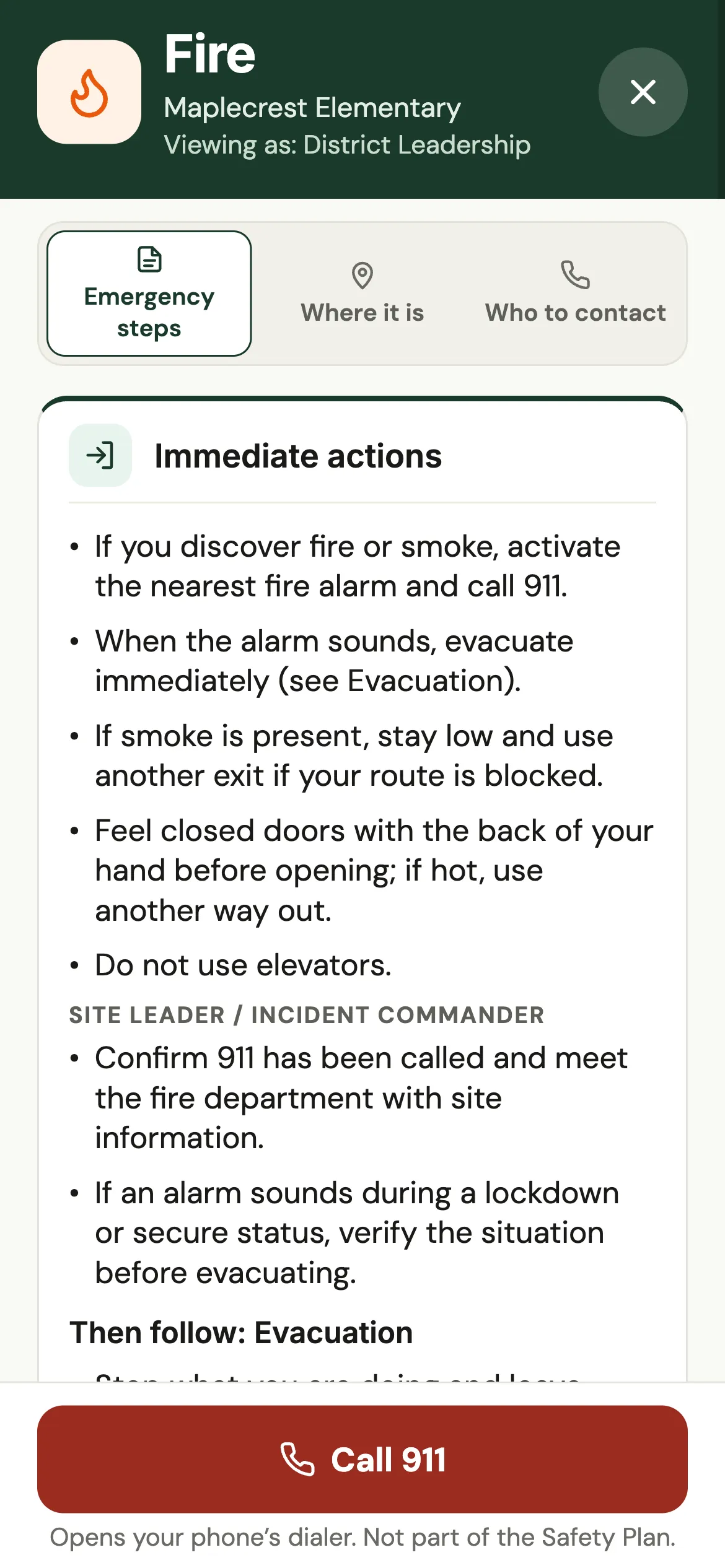
Six emergency types, each with the steps from your approved plan, where to go, and who to contact. A saved copy keeps working without a connection.
Report from the field
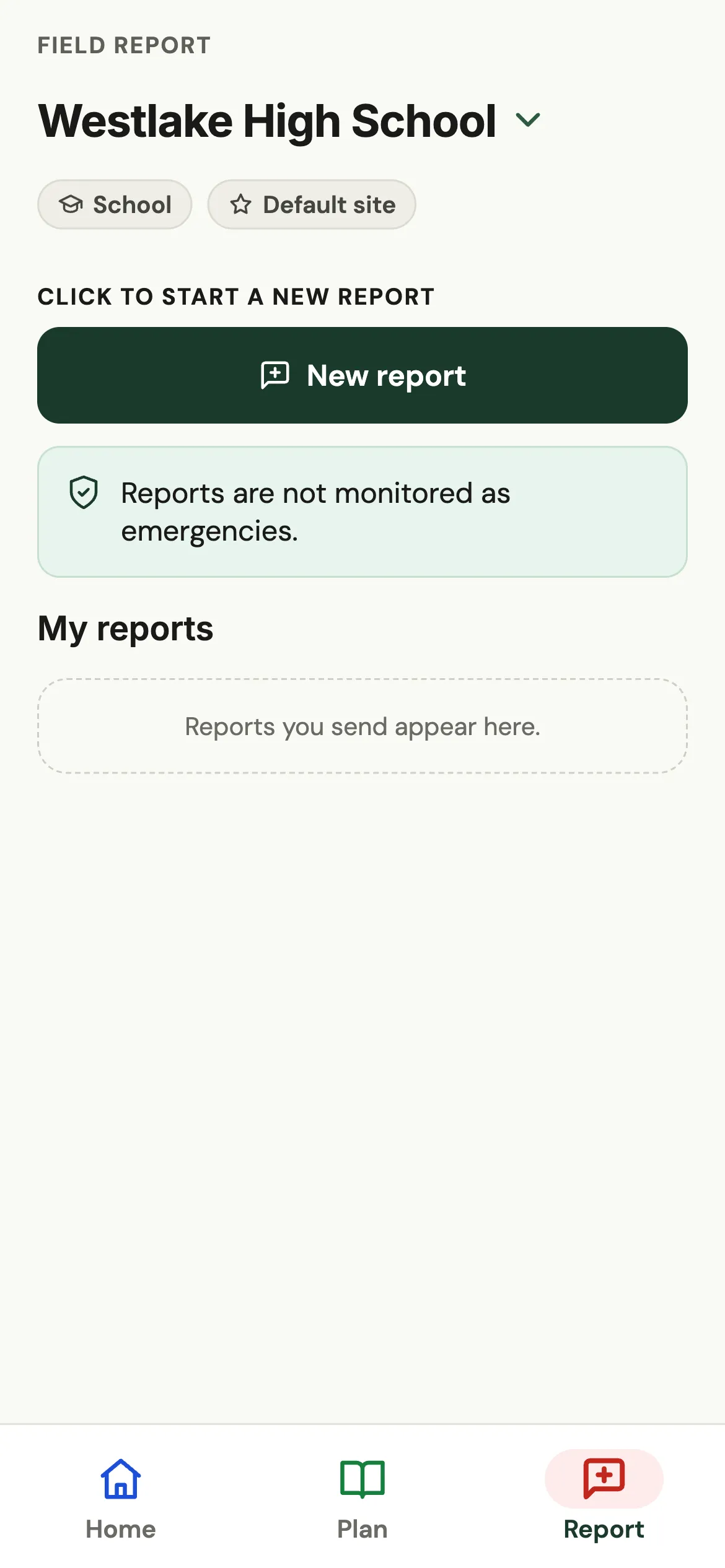
What staff see, the district sees.
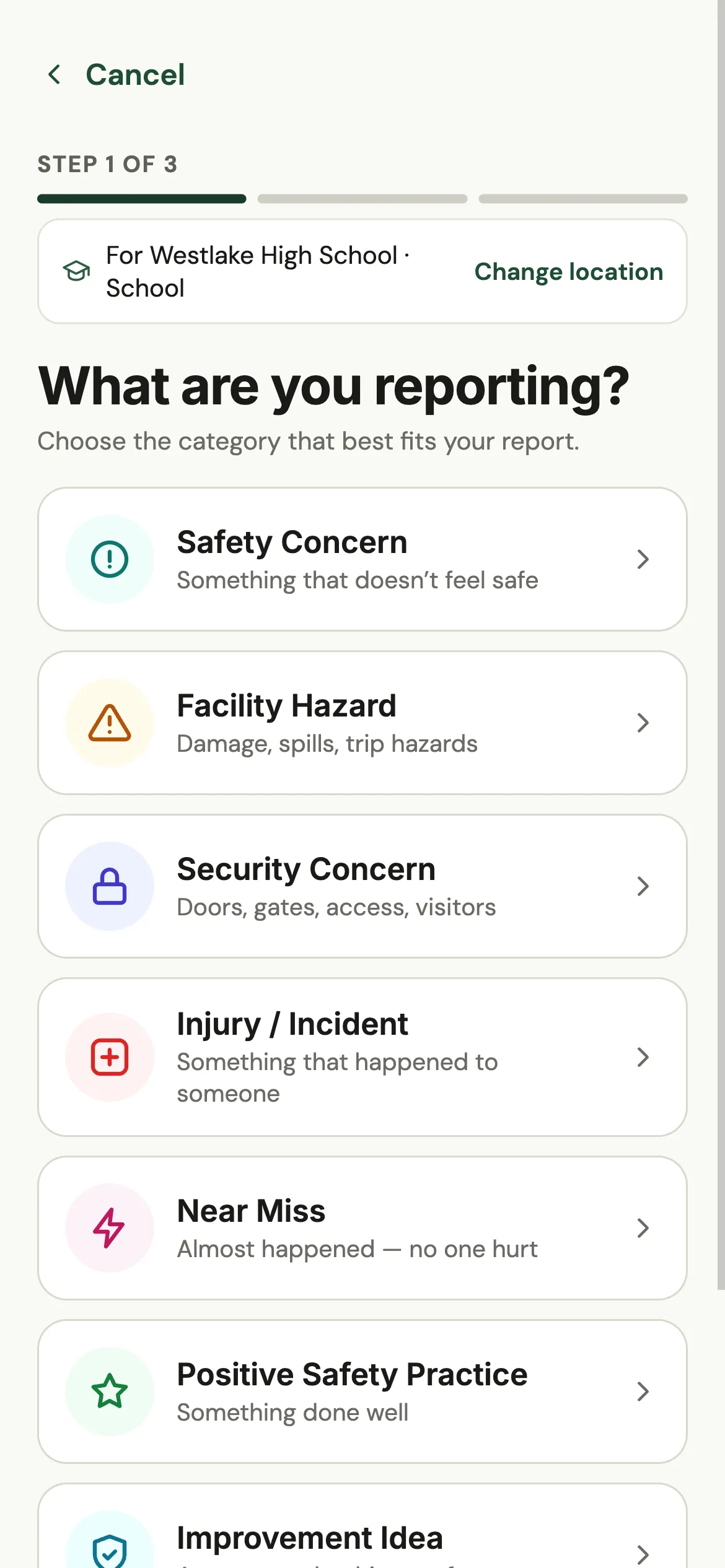
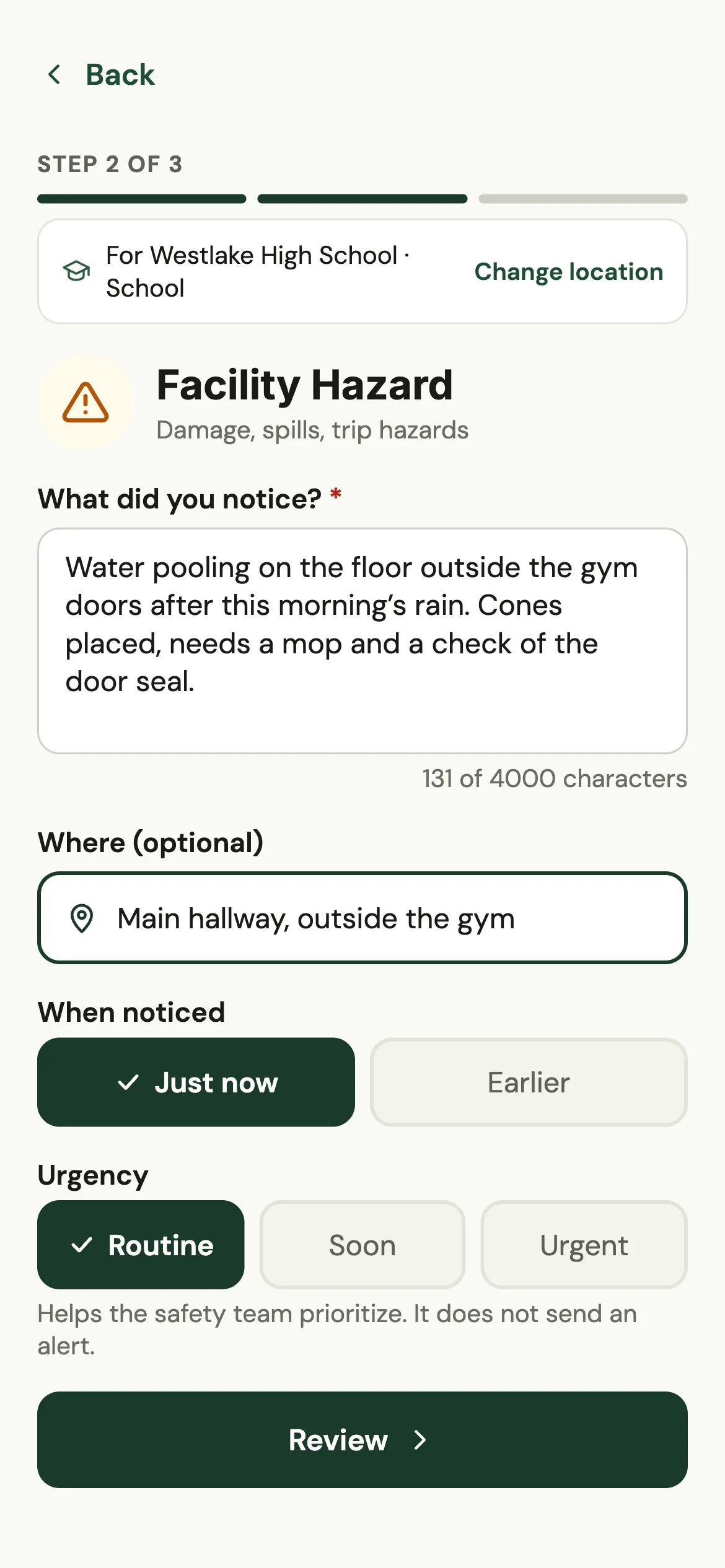
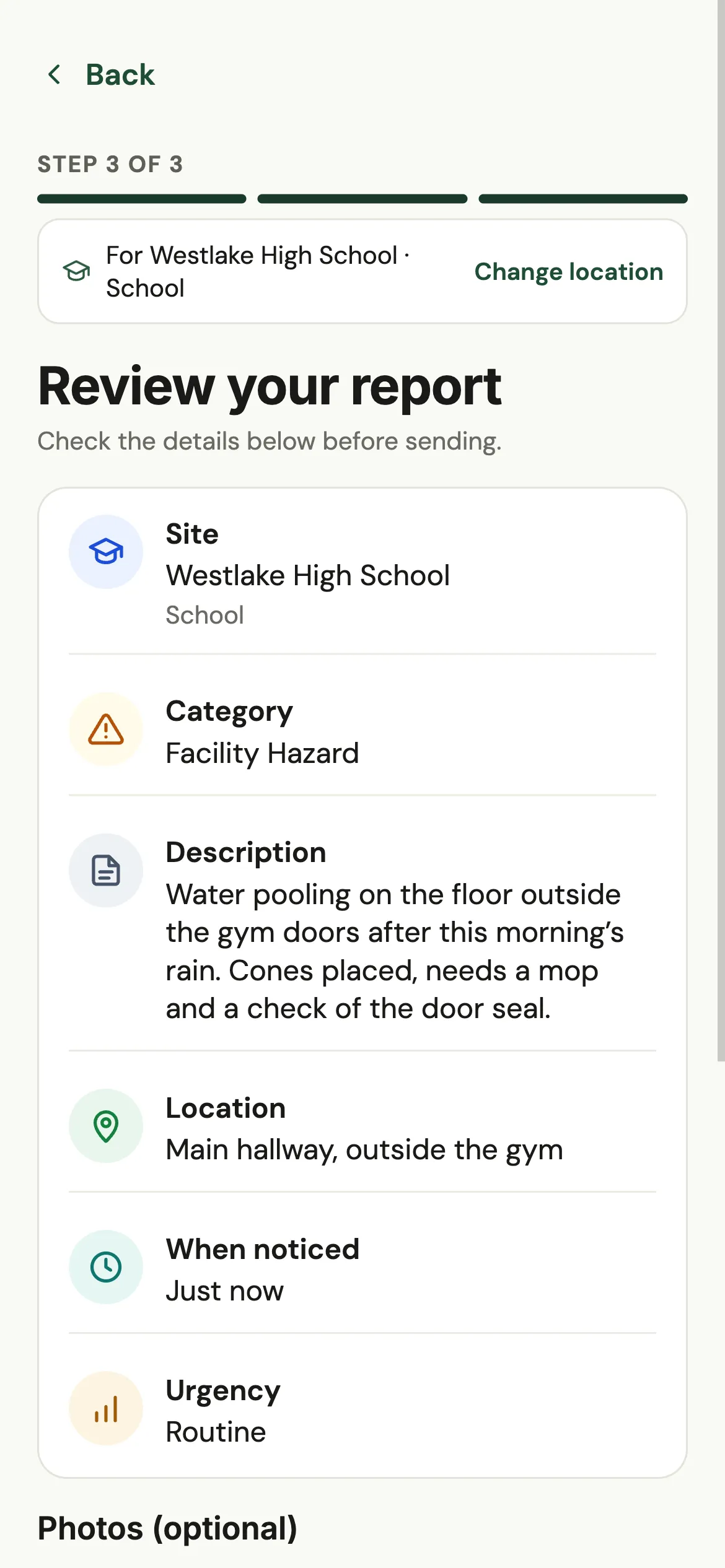
Hazards, concerns, near misses and good practice reach the district in three short steps, with photos when they help.
- District and school administrators responsible for that site are notified.
- The report is reviewed, assigned and resolved, with questions back to the reporter when needed.
- District leadership verifies the resolution; the reporter is kept informed.
Find it
The school layout, with the safety resources on it.
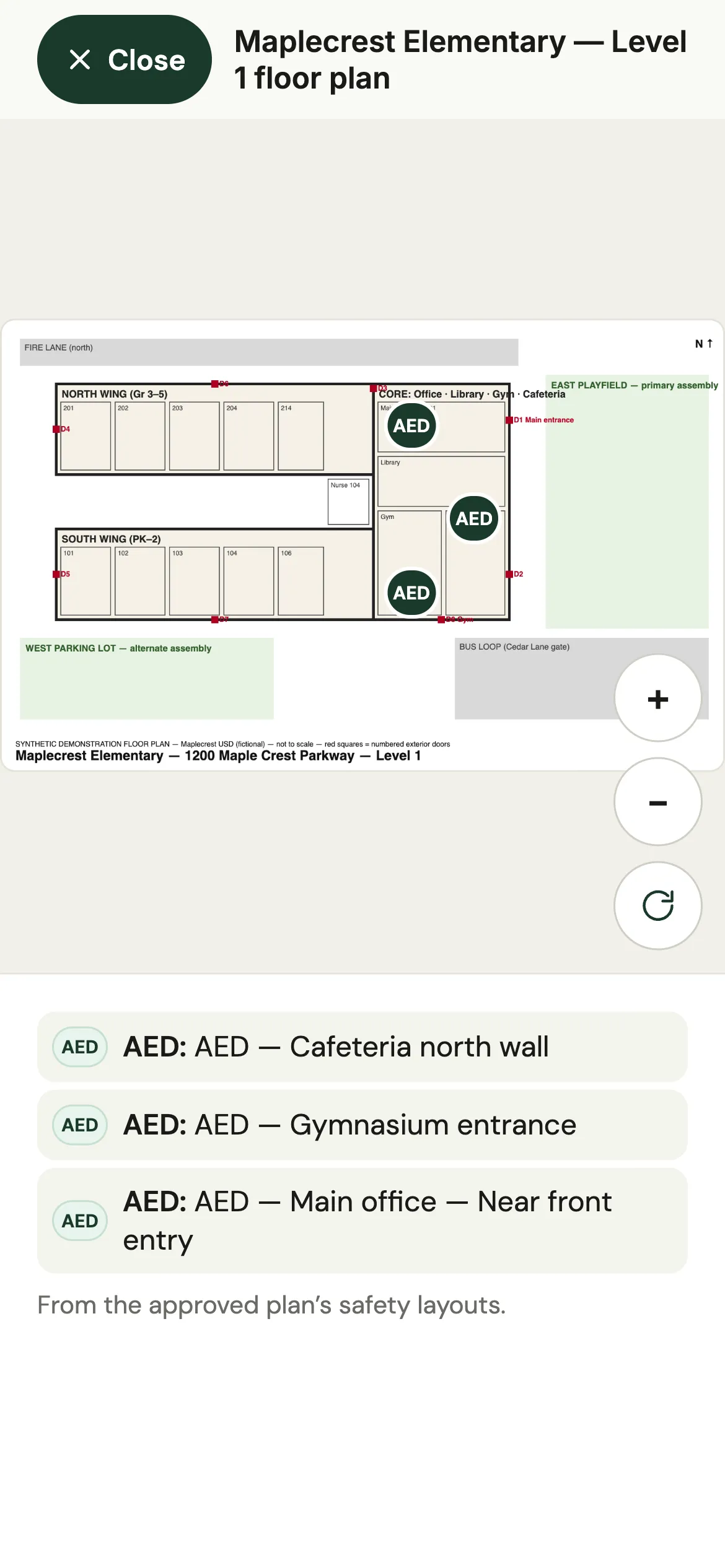
The approved plan’s floor plans open full screen, with pinch to zoom. Staff filter to exits, assembly areas, AEDs, first aid, extinguishers or shelter areas, and every location is also listed in words. Restricted locations are shown only to the people the district designates.
One loop
From the district office to the hallway, and back.
- DistrictBuilds and approves the plan
100% in SOLA, every version kept.
- Every employeeCarries it on their phone
Your schools’ approved plans, available offline.
- StaffReport what they see
Three steps, photos optional.
- DistrictActs on every report
Reviewed, assigned, resolved and verified.
SOLA supports preparation, coordination and access to information. It does not replace emergency services, training or local emergency procedures.