Save money · Save time · SOLA Operations
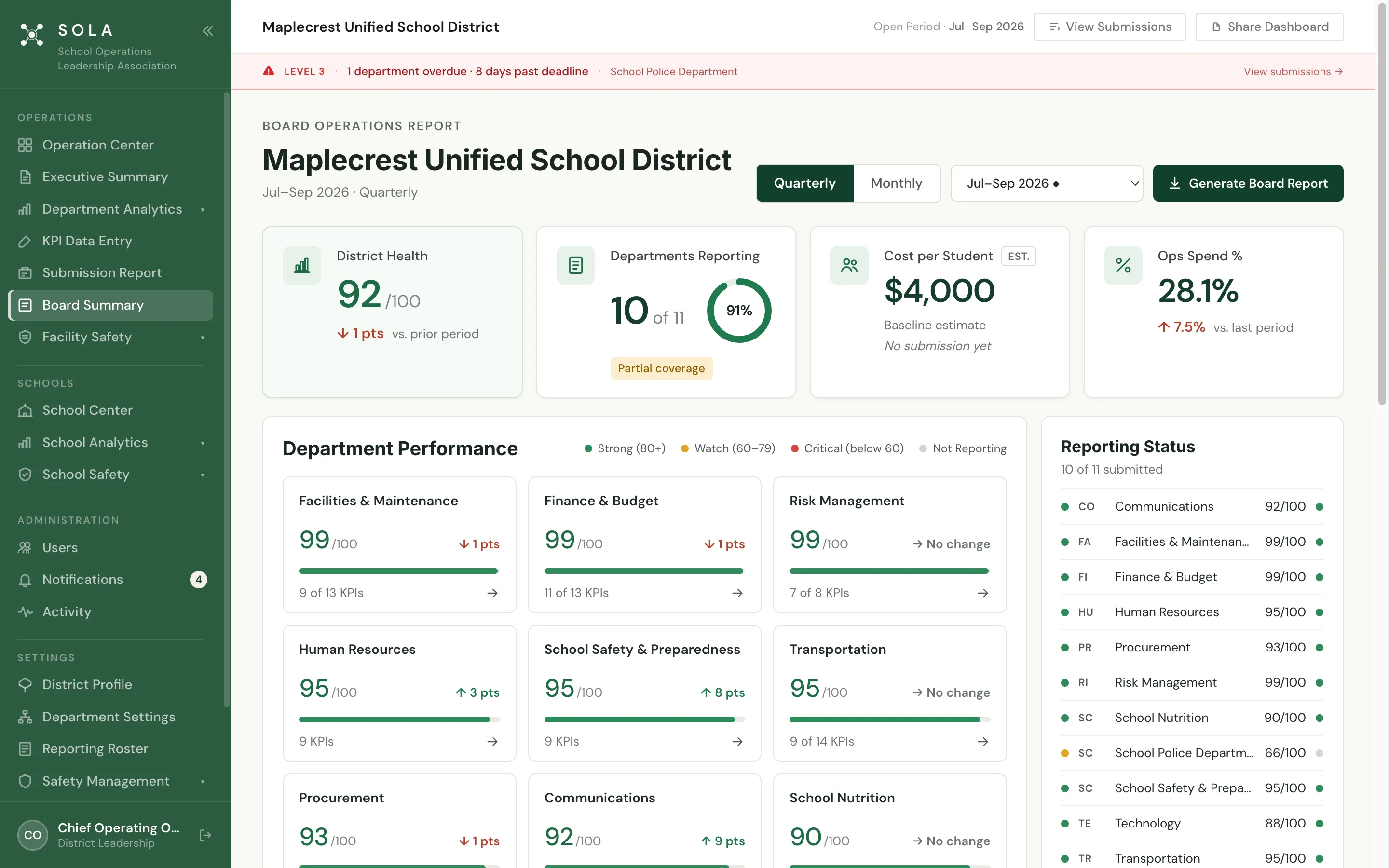
One operating picture for the whole district. SOLA measures every operations department against your district’s own targets, every quarter, so cost pressure is seen sooner and leaders spend less time gathering information and more time leading.
app.solaleaders.org/dashboard/department
Shown with Maplecrest Unified, SOLA’s demonstration district.
Save time · The reporting cycle
Less time gathering information. More time leading. One reporting cycle for every department. The district picture, the department detail and the board report all come from it.
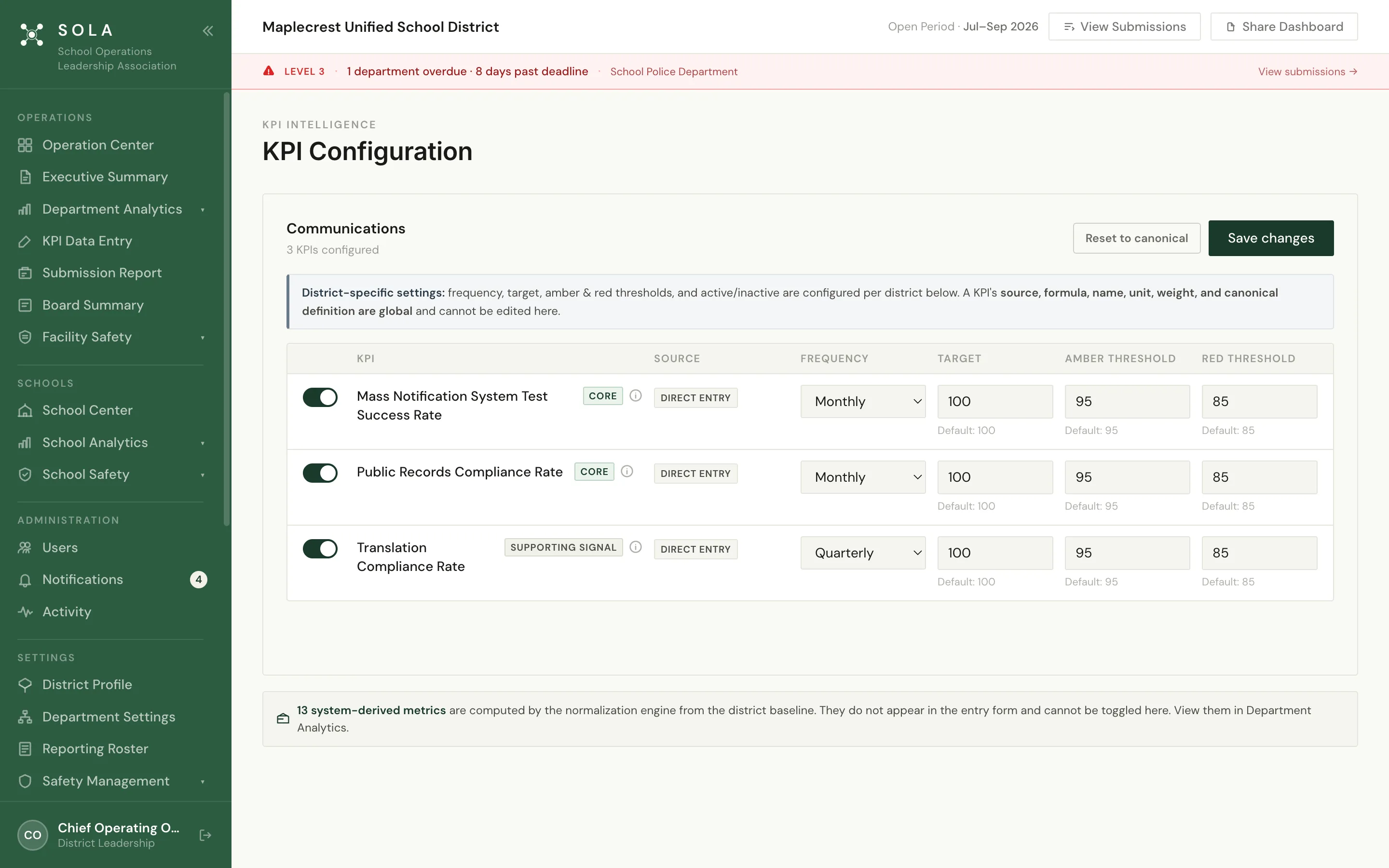
01 Measure Standard measures, your targets Start from SOLA’s library of standardized K–12 operations KPIs and set the targets and thresholds that fit your district.
02 Submit Every department, every quarter Department leaders enter their numbers in KPI Data Entry before the period deadline. SOLA tracks who has submitted.
03 Evaluate Scored the same way Each department gets a performance score and trend; District Health brings them together; concerns are identified.
04 Lead Ready for cabinet and the board The Executive Summary and Board Summary are built from the same submitted numbers.
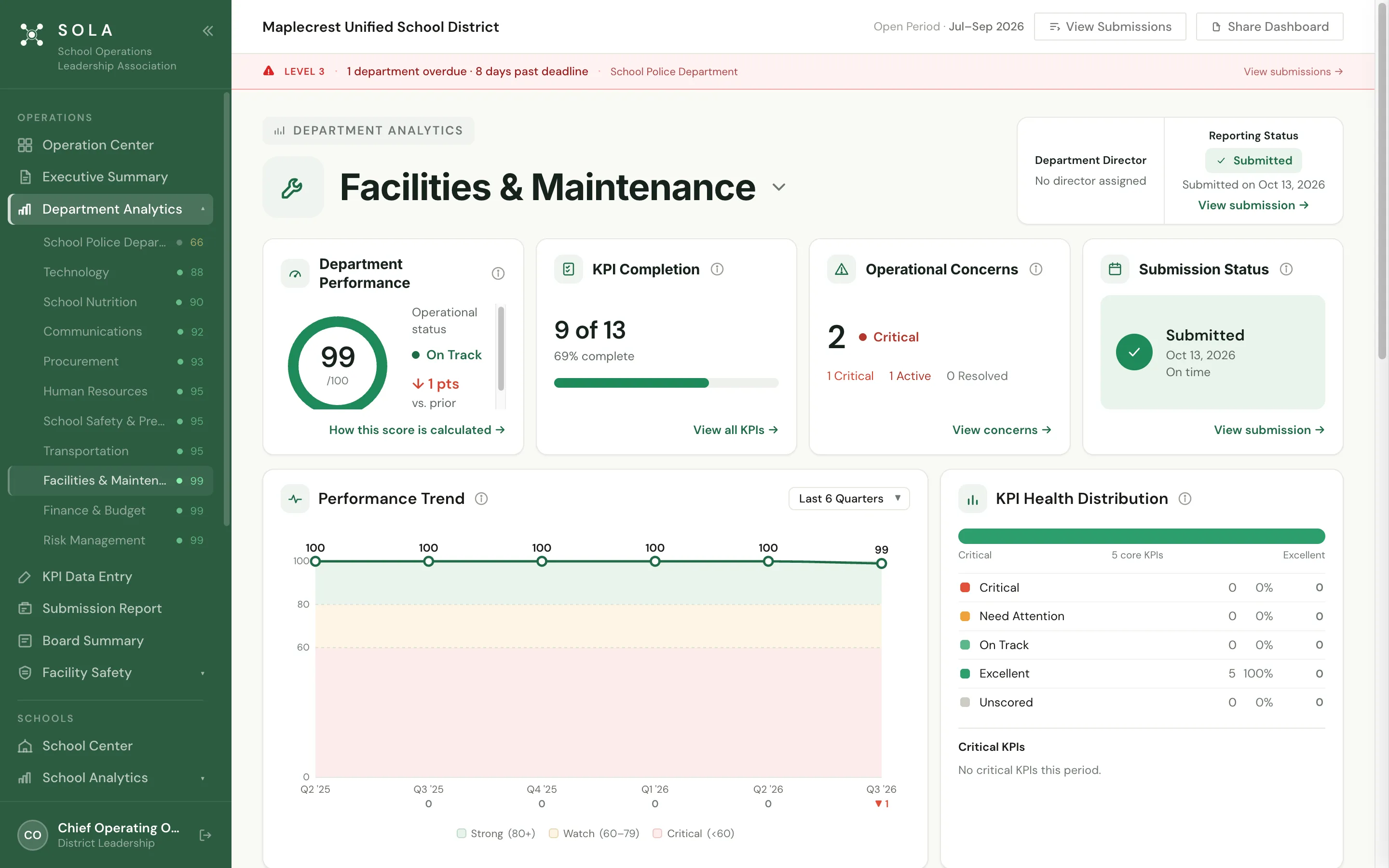
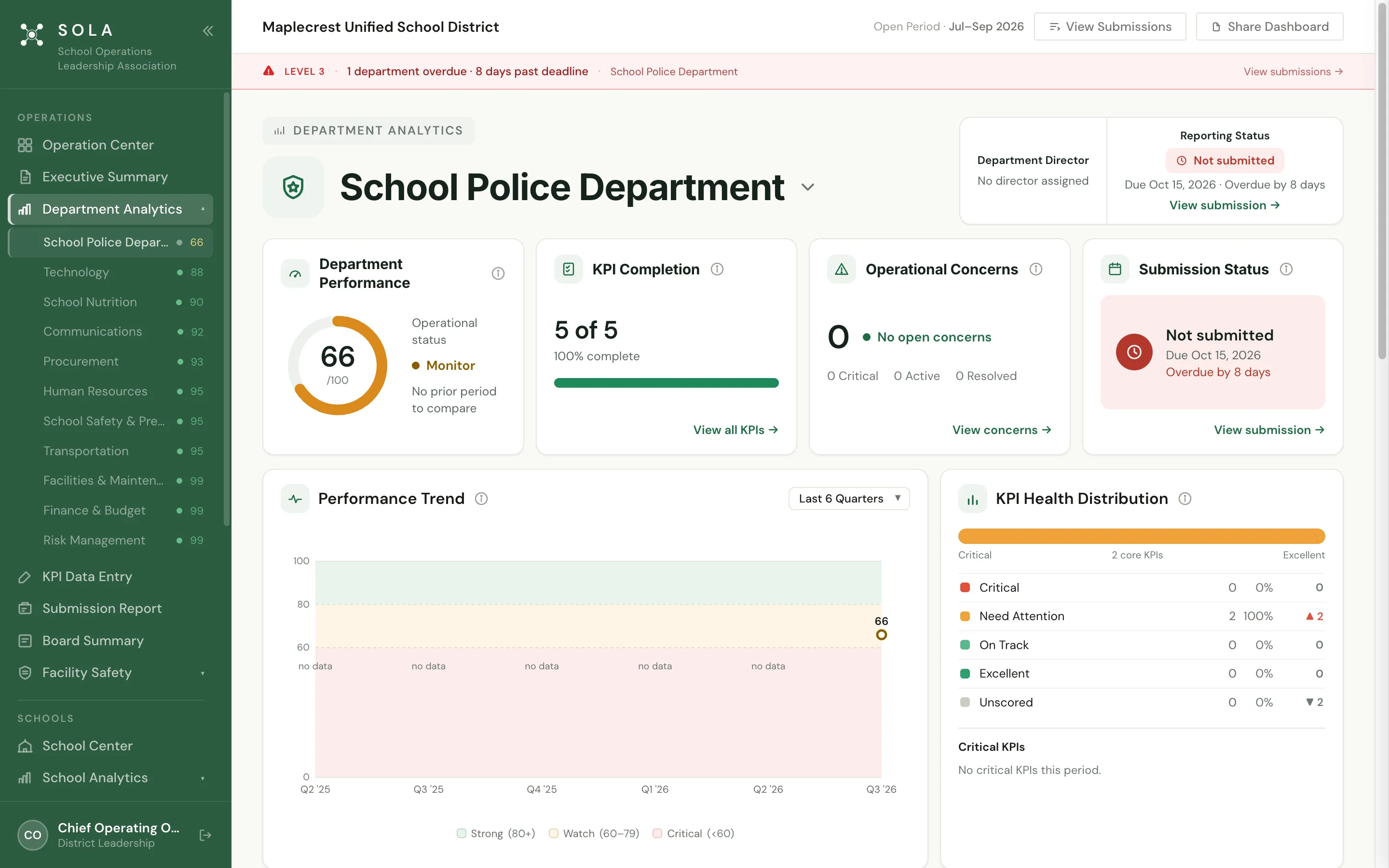
Department Analytics
Go straight to the department that needs attention. A performance score out of 100 and an operational status: here, School Police at 66 in Monitor KPI completion, operational concerns and submission status side by side, including how many days a report is overdue KPI health at a glance, and the trend against strong, watch and critical bands as quarters accumulate District Health
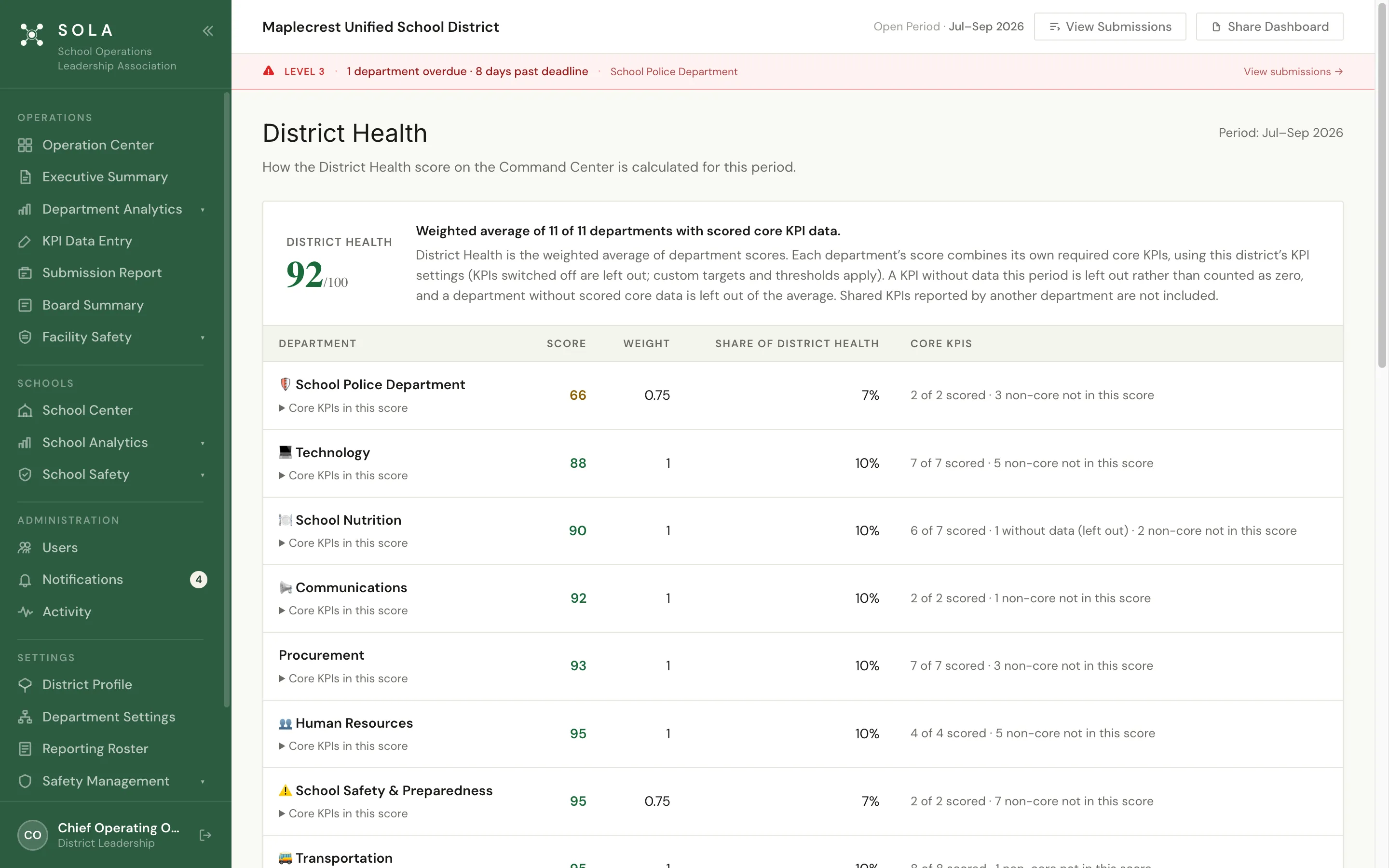
One district score, and exactly what drives it. A single District Health score built from every department Each department’s contribution, so the score is never a black box Quarter-over-quarter and year-over-year movement Save money · KPI library
Measures that follow the money. 106 standardized K–12 operations KPIs, including cost per student transported, M&O and utility cost per square foot, budget variance and cost per hire District-set targets and thresholds for every measure Deferred maintenance, fleet condition and vacancy measures that show cost pressure before it lands Save time · Leadership reporting
One consistent story, from department to board. Executive Summary for the cabinet, with District Health and concerns Board Summary with department performance and reporting status Shareable, from the same numbers departments submit Operational Intelligence · Identifies · Explains · Guides · Reports
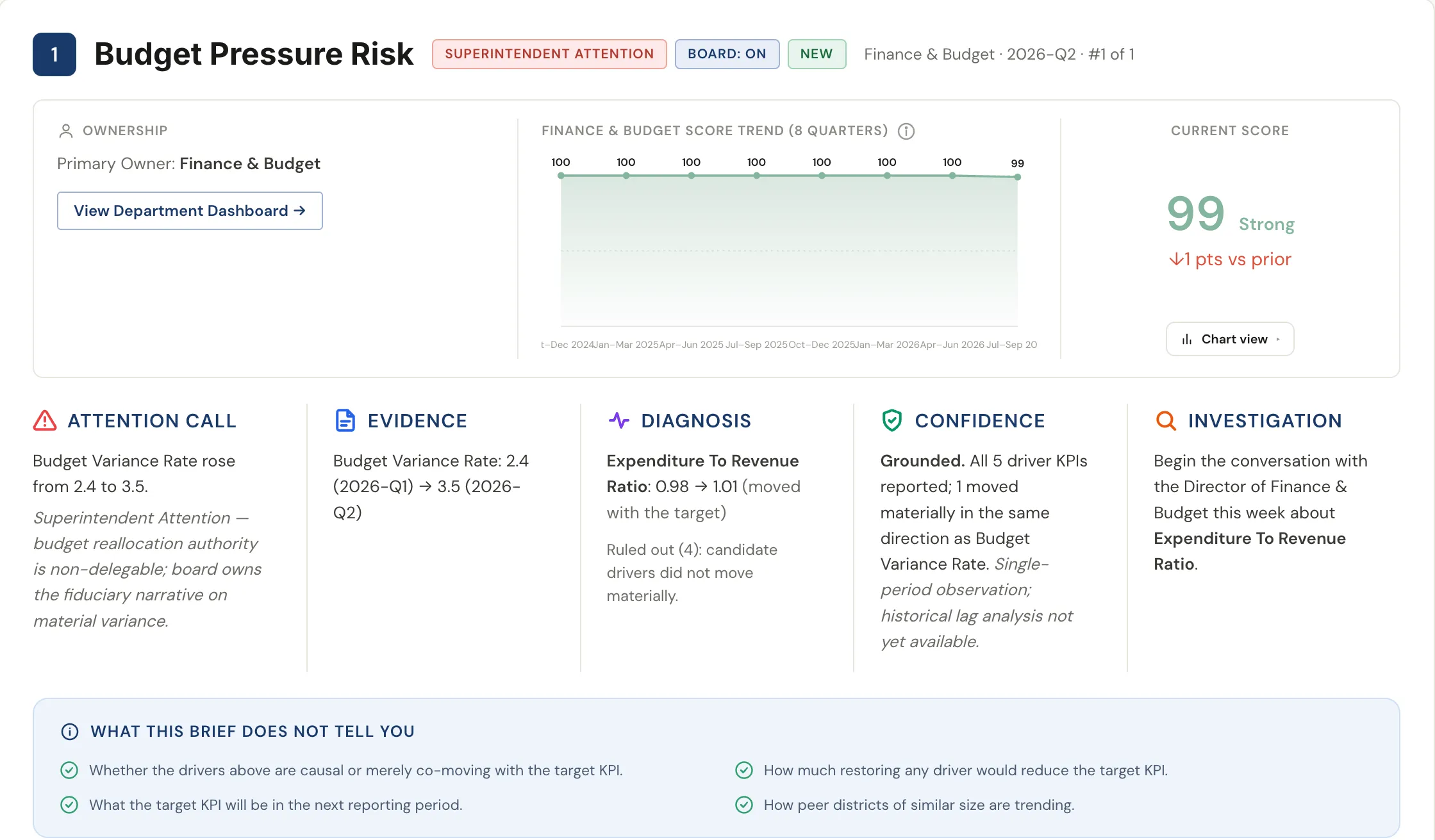
Stop hunting for problems. SOLA brings them to you. SOLA evaluates operational performance against your district’s targets and historical trends. When something needs attention, it identifies the concern, explains the evidence and its history, guides where to investigate and carries it into executive and board reporting.
See a real concern → Save time · Reporting accountability
Deadlines that follow through on their own. Every reporting period has a deadline. SOLA reminds, notices and escalates by email, so leadership never has to chase a department for its numbers.
Before the deadline Department leaders Email reminders that the period’s numbers are due.
After the deadline Department leaders A late notice, and the department is flagged in SOLA.
Level 2 Chief Operating Officer Escalated by email when a department stays overdue.
Level 3 Superintendent Escalated again, and shown across the top of SOLA for district leadership.
Built for each role Department leaders work in their own department. District leadership sees every department, District Health and the reports.
One district, one set of numbers Scores, concerns and board materials all come from what departments submit, so every report agrees.
Protect lives, on the same platform SOLA School Safety and the SOLA Safety app sit alongside Operations: prepared before it happens, informed when it matters. Explore School Safety →
See SOLA with a real district. A 30-minute walkthrough of SOLA’s demonstration district, focused on the questions your leadership team asks every week.